RGB LED for micro:bit
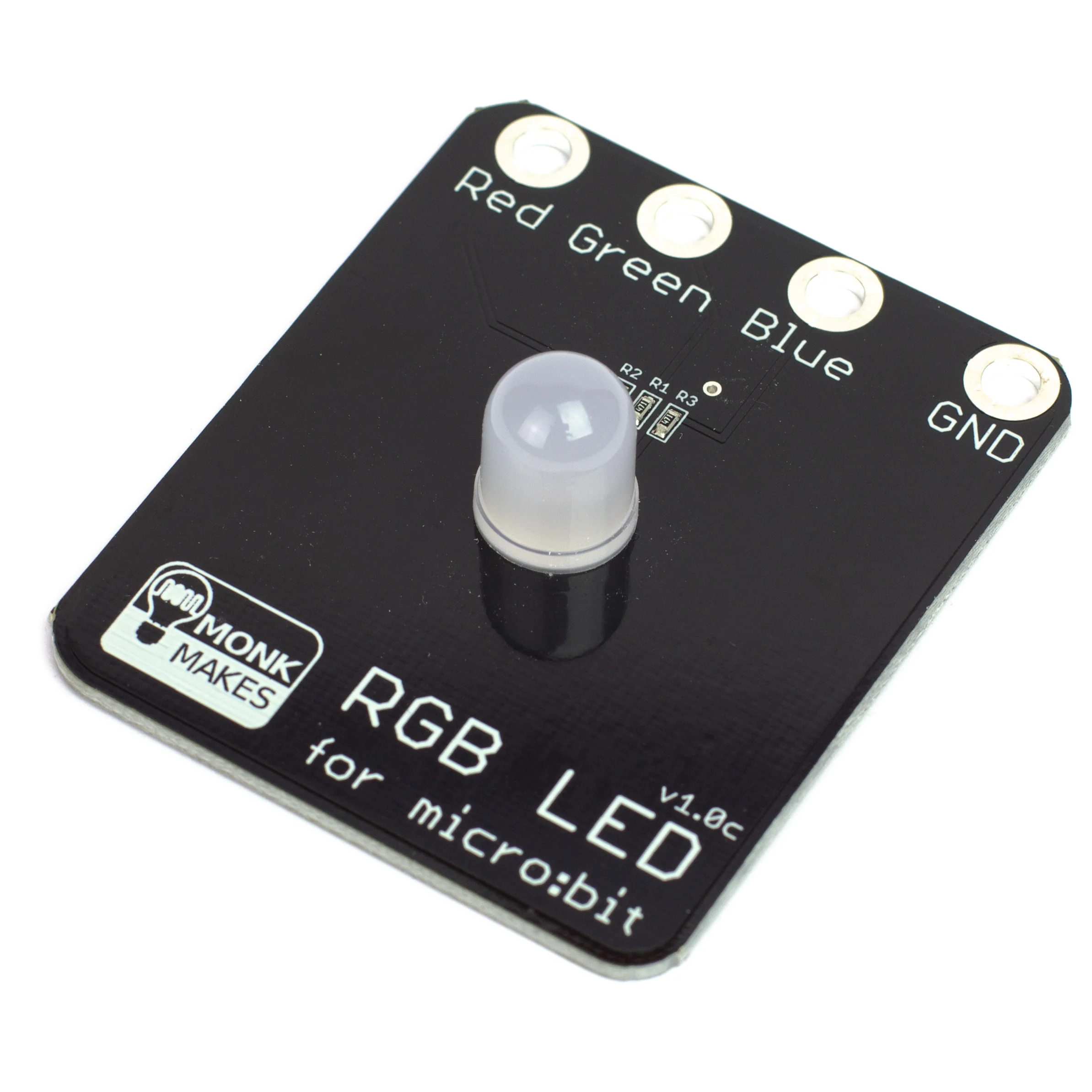
The MonkMakes RGB LED for micro:bit provides a colourful add-on to your micro:bit. Connect it up with alligator clips and then use the three outputs of your micro:bit to control the red, green and blue channels to mix up any colour of light you want.
Features
- Easy to connect
- Powered directly from micro:bit pins
- Useful for teaching color mixing.
- Compatible with micro:bit v1 and v2!
Getting Started
Connecting to your micro:bit
Connect the RGB LED to the micro:bit as shown below. When attaching the alligator clips to the micro:bit, make sure that the clips are perpendicular to the board so that they are not touching any of the neighbouring connectors on the micro:bit edge connector.

JavaScript Blocks Editor
Traffic Signal Example
Click on the example below to open the code in the JavaScript Blocks Editor. Once its running on your micro:bit it will cycle through the colors of a traffic signal.

MicroPython
TRAFFIC SIGNAL EXAMPLE
Paste the following code into the Python window and then Download the file and copy it onto your your micro:bit
from microbit import *

def set_rgb(red, green, blue):
 pin0.write_analog(red)
 pin1.write_analog(green)
 pin2.write_analog(blue)

while True:
 set_rgb(255, 0, 0)
 sleep(4000)
 set_rgb(800, 100, 0)
 sleep(1000)
 set_rgb(0, 1023, 0)
 sleep(5000)
 set_rgb(800, 100, 0)
 sleep(1000)
Product Information
Product Information
Shipping & Returns
Shipping & Returns
Description
The MonkMakes RGB LED for micro:bit provides a colourful add-on to your micro:bit. Connect it up with alligator clips and then use the three outputs of your micro:bit to control the red, green and blue channels to mix up any colour of light you want.
Features
- Easy to connect
- Powered directly from micro:bit pins
- Useful for teaching color mixing.
- Compatible with micro:bit v1 and v2!
Getting Started
Connecting to your micro:bit
Connect the RGB LED to the micro:bit as shown below. When attaching the alligator clips to the micro:bit, make sure that the clips are perpendicular to the board so that they are not touching any of the neighbouring connectors on the micro:bit edge connector.
JavaScript Blocks Editor
Traffic Signal Example
Click on the example below to open the code in the JavaScript Blocks Editor. Once its running on your micro:bit it will cycle through the colors of a traffic signal.
MicroPython
TRAFFIC SIGNAL EXAMPLE
Paste the following code into the Python window and then Download the file and copy it onto your your micro:bit
from microbit import *

def set_rgb(red, green, blue):
 pin0.write_analog(red)
 pin1.write_analog(green)
 pin2.write_analog(blue)

while True:
 set_rgb(255, 0, 0)
 sleep(4000)
 set_rgb(800, 100, 0)
 sleep(1000)
 set_rgb(0, 1023, 0)
 sleep(5000)
 set_rgb(800, 100, 0)
 sleep(1000)