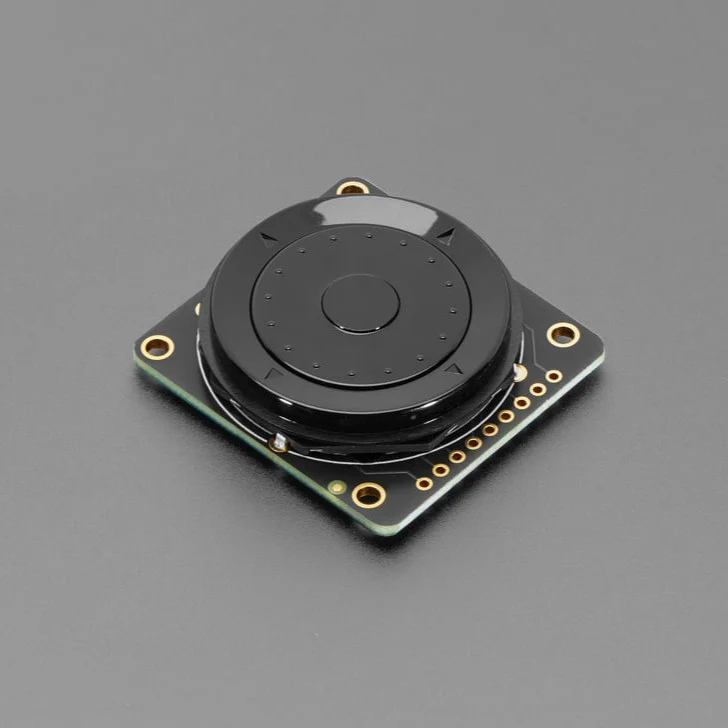
Adafruit ANO Rotary Navigation Encoder Breakout with Pre-Soldered Encoder
This pre-soldered breakout lets you add a funky ANO rotary encoder wheel to your project.
The ANO rotary encoder wheel is a funky user interface element is reminiscent of the original clicking scroll wheel interface on the first iPods. It's a nifty kit, but the pin-out is a little odd, so we made a handy breakout board that converts the funky pin set into a straightforward, breadboard-friendly header strip.
This version comes with the encoder pre-soldered in!
There are no pull-up or pull-down resistors on this PCB. Use your microcontroller's button and rotary encoder library/hardware support to interface with the pins.
You'll need 7 GPIO total: 5 buttons and 2 rotary encoder pins. There are also two COMmon pins, which you can set to ground or VCC - usually ground so that you can use the microcontroller internal pull-ups for the button/encoders. Note to make our wiring simple, our example code uses GPIO to the COM's and then sets them to outputs, but you can just wire them directly.
Technical Details


Learn
- Primary Guide: ANO Directional Navigation and Scroll Wheel Rotary Encoder and Breakout A nifty, little directional rotary encoder kit!
- See All Guides
Original: $11.55
-65%$11.55
$4.04Product Information
Product Information
Shipping & Returns
Shipping & Returns
Description
This pre-soldered breakout lets you add a funky ANO rotary encoder wheel to your project.
The ANO rotary encoder wheel is a funky user interface element is reminiscent of the original clicking scroll wheel interface on the first iPods. It's a nifty kit, but the pin-out is a little odd, so we made a handy breakout board that converts the funky pin set into a straightforward, breadboard-friendly header strip.
This version comes with the encoder pre-soldered in!
There are no pull-up or pull-down resistors on this PCB. Use your microcontroller's button and rotary encoder library/hardware support to interface with the pins.
You'll need 7 GPIO total: 5 buttons and 2 rotary encoder pins. There are also two COMmon pins, which you can set to ground or VCC - usually ground so that you can use the microcontroller internal pull-ups for the button/encoders. Note to make our wiring simple, our example code uses GPIO to the COM's and then sets them to outputs, but you can just wire them directly.
Technical Details
Learn
- Primary Guide: ANO Directional Navigation and Scroll Wheel Rotary Encoder and Breakout A nifty, little directional rotary encoder kit!
- See All Guides